
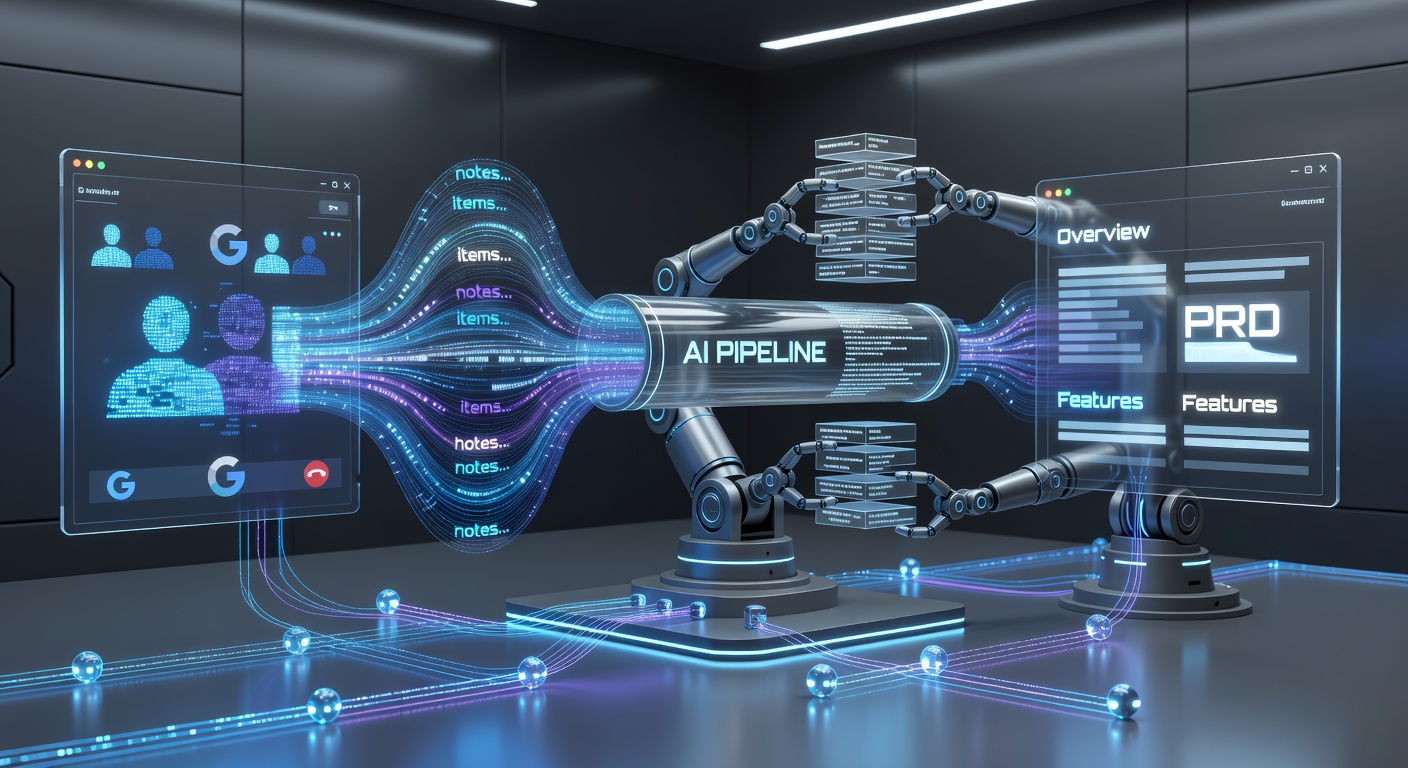
A comprehensive research report on building an end-to-end automated PRD generation pipeline using Google Meet, Otter.ai transcription, Zapier middleware, LLM prompt engineering, and web-based collaboration platforms like Notion, Coda, and Confluence.
Architecting an Automated Product Requirements Document Workflow: Integrating Google Meet, Otter.ai, and Web-Based Collaboration Platforms
The Strategic Imperative for Automated Product Documentation
In the contemporary landscape of software development and product management, the velocity of decision-making is frequently impeded by the operational friction of manual documentation. Product teams invest an immense quantum of time engaged in discovery sessions, stakeholder alignments, and technical scoping meetings. The raw conversational material generated in these virtual sessions—most notably on platforms like Google Meet—is inherently unstructured, highly volatile, and densely packed with critical business logic. Translating this unstructured auditory data into a formalized, execution-ready Product Requirements Document (PRD) demands significant cognitive bandwidth and administrative effort from highly skilled personnel. This manual synthesis process introduces inevitable delays, risks the permanent loss of subtle technical nuances discussed in passing, and forces product managers to act as clerical scribes rather than strategic leaders focusing on product vision and market fit.
The convergence of artificial intelligence-powered transcription, event-driven middleware orchestration, and intelligent web-based document platforms provides a sophisticated solution to this pervasive operational bottleneck. By engineering a seamless, end-to-end integration between Google Meet, an ingestion engine like Otter.ai, an automation gateway such as Zapier or Make.com, and a target web-based application (the "Something App," evaluated here as Notion, Coda, or Confluence), organizations can establish a zero-touch documentation pipeline. This architectural pipeline captures auditory data in real time, extracts the semantic intent via Large Language Models (LLMs), and autonomously generates highly structured, professionally formatted PRDs.1
The resulting workflow not only radically accelerates the time-to-market by reducing administrative overhead but also ensures that the resulting technical documentation remains continuously and irrevocably anchored to the actual dialogue of the project stakeholders. This exhaustive research report explores the architectural design, technical configuration, platform selection criteria, advanced prompt engineering strategies, and critical data privacy considerations required to build an enterprise-grade, automated PRD generation system capable of transforming raw meeting minutes into actionable product specifications.
Phase One: Auditory Data Capture via Google Meet and Otter.ai
The foundational layer of any automated documentation workflow relies entirely on the frictionless, high-fidelity capture of raw meeting data. In the proposed architecture, Google Meet serves as the primary synchronous communication medium, while Otter.ai operates as the initial ingestion and natural language processing engine. Otter.ai is an advanced speech-to-text platform that utilizes proprietary artificial intelligence models to transcribe meetings, identify individual speakers through voiceprint analysis, and extract preliminary conversational summaries and action items.3
Configuring OtterPilot for Autonomous Ingestion
To achieve a genuinely automated workflow that enhances productivity, human intervention at the point of data capture must be systematically eliminated. Otter.ai facilitates this through a feature designated as OtterPilot, an autonomous AI meeting assistant engineered to silently join scheduled virtual meetings, record the audio stream, and generate real-time transcriptions without requiring the host to manually initiate the process.5
The technical deployment of OtterPilot begins with deep calendar synchronization. Users must authenticate their Google Workspace or Microsoft Office 365 calendars within the Otter.ai integration settings matrix.7 Once OAuth access is granted, the Otter.ai backend continuously scans the user's calendar payload for valid virtual meeting URLs, specifically targeting Google Meet, Zoom, or Microsoft Teams links embedded within the event details.7
For the workflow to function autonomously across an organization, the auto-join parameters must be precisely configured to match the team's operational rhythm and security posture. Administrators and individual users possess the capability to set OtterPilot to automatically join all calendar events containing a recognized video link, or conversely, restrict its automated attendance strictly to meetings where the authenticated user is the designated event organizer.8 Furthermore, enterprise environments operating under strict data boundaries can configure the digital assistant to join only internal meetings. In this context, an internal meeting is defined programmatically as a calendar event where all invited participants share the exact same corporate email domain.9 This prevents the AI from inadvertently recording sensitive discussions with external vendors or clients without explicit manual override.
For ad-hoc Google Meet sessions that bypass traditional calendar scheduling, the Otter Chrome extension provides a critical secondary ingestion method. Upon launching a Google Meet URL directly in the browser, the extension detects the active meeting state and prompts the user via a modal interface to add the AI Notetaker with a single click. This action instantly dispatches OtterPilot into the virtual room as an active participant, ensuring impromptu product discussions are captured and fed into the automation pipeline.5
Transcription Accuracy and Native Summarization Mechanics
Once successfully integrated into the active Google Meet session, Otter.ai's primary computational function is real-time speech recognition and transcription. The platform processes the incoming audio feed through a highly optimized machine learning algorithm that stacks recognized words onto the user interface in real time, simultaneously identifying distinct speakers through dynamic voiceprint analysis and labeling the text accordingly.4 While the core transcript provides a vital, verbatim historical record of the event, the sheer volumetric density of spoken words in a standard hour-long product scoping meeting renders the raw transcript entirely unsuitable for direct insertion into a structured Product Requirements Document.
Otter.ai strategically mitigates this unstructured data overload through its native Automated Live Summary feature. The proprietary AI engine evaluates the ongoing conversation at regular intervals, typically processing data chunks every three minutes, to generate a running summary that isolates key decisions and extracts explicitly stated actionable tasks.10 This base-level algorithmic synthesis is a crucial intermediary step. While the native Otter summary does not possess the complex structural formatting, logical flow, or strategic depth of a formalized PRD, it effectively pre-processes the raw transcript. By separating the structural noise of human conversation—such as pleasantries, tangents, and repeated phrasing—from the core business logic, the platform provides a condensed, high-signal payload that is significantly easier for downstream automation tools and secondary language models to digest and format.10
Phase Two: The Middleware Orchestration and API Integration Layer
Otter.ai excels at capturing and transcribing auditory data, but it is fundamentally a meeting intelligence tool, not a project management or product documentation platform. To physically transport the data from the transcription engine to the final documentation application, a robust middleware orchestration layer must be engineered. This integration layer acts as the central nervous system of the automated PRD workflow, continuously listening for specific trigger events originating from Otter.ai and executing a pre-defined sequence of algorithmic actions to map, transform, and push the data into the target environment.
Zapier as the Primary Automation Gateway
For product teams operating on Otter.ai's Pro, Business, and Enterprise service tiers, Zapier serves as the officially supported and most accessible integration platform.12 Zapier operates on a highly intuitive trigger-and-action paradigm, connecting thousands of disparate web applications via their respective APIs without requiring the user to write custom integration code.4
The orchestration sequence begins by establishing a secure authenticated connection between the Otter.ai account and the Zapier platform using a unique API key, which must be manually generated within the Otter Apps dashboard and pasted into Zapier's authentication modal.13 The automation sequence, colloquially referred to as a "Zap," is initiated by configuring a specific trigger event designated as New Recording.14 Consequently, whenever a Google Meet session formally concludes and Otter.ai finalizes the cloud processing of the transcript and its native automated summaries, this trigger fires instantaneously. The firing of the trigger pushes a comprehensive JSON payload of meeting data directly into the Zapier ecosystem for further manipulation.14
Once the data payload enters the Zapier environment, the workflow designer gains programmatic access to a wide variety of specific data fields exported from the Otter.ai system. The flexibility of Zapier allows the workflow architecture to bifurcate based on the team's specific documentation needs. The raw data can either be routed directly into a documentation platform like Notion or Coda to create a basic, unformatted page, or, much more powerfully, it can be routed through an advanced artificial intelligence processing node for deep structural transformation before reaching its final destination.2
| Zapier Payload Field | Description and Utility in PRD Generation |
|---|---|
| transcript | The full, verbatim text of the meeting. Crucial for feeding into secondary LLMs for deep context extraction. |
| abstract_summary | Otter's native high-level summary. Useful as an executive overview if secondary LLM processing is bypassed. |
| action_items | AI-detected tasks and responsibilities. Mapped directly to the "Dependencies and Next Steps" section of a PRD. |
| insights | Key topics and themes. Utilized to automatically categorize or tag the resulting PRD in a database. |
| calendar_guests | Email addresses of attendees. Used to automatically share the final PRD or assign specific database properties to stakeholders. |
Make.com and Enterprise Webhook Architectures
While Zapier serves as a highly effective middleware solution for the majority of use cases, enterprise-scale organizations with rigid security compliance requirements, complex data architectures, or a preference for advanced visual scenario mapping may prefer to utilize direct data pipelines or alternative platforms like Make.com. However, integrating Otter.ai with Make.com presents specific architectural challenges. Currently, Otter.ai does not offer a publicly available REST API or a native application module within the Make.com ecosystem for standard users.18 Therefore, standard attempts to connect the two platforms directly will fail without complex workarounds.
To bridge this gap and enable advanced orchestration outside of Zapier, organizations must utilize Otter.ai's Enterprise plan, which unlocks access to direct Workspace Webhooks.19 Workspace administrators can configure custom webhooks to fire via HTTPS POST requests upon the conversation_completed event.19 The system permits highly granular control over which specific conversations trigger the webhook payload. For instance, administrators can configure the system to export only those calls that are automatically shared to specific public workspace channels, or restrict the webhook to conversations shared with the entire enterprise workspace.19
The JSON payload delivered by the enterprise webhook is highly structured and comprehensive, transmitting critical keys including the full transcript, insights, outline, and array lists of calendar guests and shared emails.19 This direct webhook capability allows software development teams to bypass proprietary third-party integration platforms entirely if desired. The payload can be received by custom corporate server endpoints, AWS Lambda functions, or sophisticated automation platforms like Make.com via its "Custom Webhook" module.20 This approach provides absolute control over the data pipeline, enabling complex parsing, conditional routing, and error-handling logic that extends far beyond standard linear automations.
Phase Three: Cognitive Transformation and Prompt Engineering
Pushing a verbatim meeting transcript—or even a basic, pre-processed automated summary from Otter.ai—directly into a documentation platform does not yield a functional Product Requirements Document. A PRD is a highly formalized, structured artifact that demands specific, clearly defined sections: executive summaries, problem statements, user personas, technical requirements, measurable success metrics, and strict out-of-scope definitions.22 The most critical and complex step in this automated architecture is the intelligent cognitive transformation of the conversational payload into this rigid, professional structure.
Integrating External Large Language Models
To achieve this necessary transformation, the middleware workflow must integrate an external Large Language Model (LLM), such as OpenAI's GPT-4o, Anthropic's Claude, or Google's Gemini, into the Zapier or Make.com sequence. Immediately after the New Recording trigger fires from Otter.ai, the subsequent automated action step must be directed to the chosen LLM via its respective API.24
The LLM is subsequently fed the entire raw transcript and the basic Otter summary as its primary input data. Given that a standard one-hour product scoping meeting can easily produce thousands of words of dialogue, the chosen LLM must possess a substantially large context window capable of ingesting the entire conversation simultaneously without truncation or loss of memory.26 For automated workflows requiring deep technical reasoning, logical deduction, and strict structural formatting, models like GPT-4o are highly recommended due to their optimal balance of processing speed, cost-efficiency, and advanced agentic reasoning capabilities.26
The Art and Science of PRD Prompt Engineering
The ultimate success, accuracy, and utility of the entire automated workflow hinge almost entirely on the quality and precision of the prompt engineered for the LLM. An LLM provided with a generic, unconstrained command—such as "summarize this meeting transcript into a PRD"—will inevitably produce a superficial, hallucinated, or structurally weak document that requires so much human editing that the automation loses its value.22 A successful AI PRD prompt must intricately encode the specific mental models, analytical frameworks, and formatting standards utilized by senior product managers.22
The system prompt embedded within the Zapier or Make.com workflow must heavily constrain the AI's behavior, explicitly define its persona, and dictate the exact output schema down to the formatting syntax. A highly effective, enterprise-grade prompt structure involves the following interconnected components:
- Persona Assignment and Capability Definition: The prompt must explicitly command the AI to adopt the role of a highly competent domain expert. This anchors the LLM's latent space to professional business terminology. For example, the prompt should begin: "You are a senior product manager and technical specification expert renowned for writing concise, highly effective, and easy-to-read product descriptions that development teams can quickly translate into functional code".23
- Input Contextualization and Processing Instructions: The prompt must clearly define the nature of the chaotic data it is receiving. It must instruct the AI to meticulously parse the provided meeting transcript, actively ignore conversational filler, tangents, and pleasantries, and extract only the relevant business logic, feature requests, and technical constraints discussed by the stakeholders.28
- Strict Output Schema and Formatting Mandates: The prompt must mandate a rigid document structure using Markdown formatting to ensure compatibility with modern web-based platforms.27 It should dictate the exact headings required, instructing the AI to populate specific sections:
1   * **Executive Summary:** A concise one-sentence product description and key value proposition derived from the overarching meeting theme.23
2   * **Problem Statement:** The core user pain point being solved, extracted directly from the stakeholder dialogue, explaining why the current solutions fail.22
3   * **Target Audience:** Identification of the primary and secondary user personas impacted by the proposed feature.23
4   * **Functional Requirements:** A detailed breakdown of what the product must do, ideally formatted by the AI into agile user stories complete with acceptance criteria.29
5   * **Success Metrics:** Extraction of how the team explicitly agreed to measure the efficacy of the solution (e.g., conversion rates, latency reductions).27
6 * **Action Items and Dependencies:** Technical prerequisites and assigned tasks derived from the meeting dialogue, complete with identified owners.23 - Hallucination Constraints and Knowledge Boundaries: To prevent the generative AI from inventing requirements, metrics, or technical dependencies that were never actually discussed in the Google Meet, the prompt must include explicit, hardline safeguards. A critical instruction is to mandate that if information required for a specific PRD section is entirely missing from the transcript, the AI must explicitly flag the section as a placeholder, insert the text "," or list it under "Open Questions" rather than fabricating a plausible but factually incorrect response.29
By executing this highly engineered prompt via the middleware layer, the LLM processes the unstructured Otter.ai data and outputs a perfectly formatted, highly detailed PRD written entirely in Markdown syntax. This transformed, high-value payload is now ready to be injected into the final hosting application for team consumption.
Phase Four: Selecting the Web-Based Production Environment
The final structural node in the automated pipeline is the destination platform—the specific application where the freshly generated PRD will reside, be reviewed, and undergo collaborative refinement by the engineering and design teams. The initial inquiry highlights the need for a "Something App," with Notion, Coda, and Confluence serving as the primary enterprise candidates for this role. Each of these platforms possesses distinct architectural philosophies, integration capabilities, and economic pricing models that significantly impact their suitability as the terminal point for an automated PRD workflow.
Notion: The Flexible, Block-Based Workspace
Notion operates as a highly flexible, block-based workspace paradigm that excels at combining fluid narrative text with lightweight, customizable databases.30 Its renowned minimalist design and intuitive user interface make it a dominant choice for modern knowledge management, dynamic team wikis, and rapid document creation, particularly favored by startups and mid-sized product teams.31
From a technical integration standpoint, Notion connects seamlessly with tools like Zapier and Make.com via a robust, well-documented API.32 The automated workflow can be configured so that once the LLM generates the Markdown-formatted PRD, Zapier triggers a Create Page action targeted within a specific, pre-existing Notion database (e.g., a "Product Management Hub" or a dedicated "PRD Repository").17 The Markdown output from the OpenAI node is mapped directly into the Content field of the newly created Notion page, instantly publishing a clean, aesthetically pleasing, and highly formatted document.32
Furthermore, Notion has deeply embedded native AI capabilities ("Notion AI") directly into its workspace architecture. If a product team prefers to bypass the external Zapier-to-OpenAI transformation step to reduce architectural complexity, they can configure Zapier to push the raw, unprocessed Otter.ai transcript directly into a blank Notion page. Once the data resides in Notion, users can utilize native Notion AI blocks to automatically extract summaries, generate action items, and format the PRD post-import using built-in prompt templates.1
Despite its immense flexibility, Notion's underlying database architecture presents notable limitations for massive enterprises. Performance degradation, including increased load times and search latency, is frequently reported by teams when relational databases exceed 5,000 to 10,000 individual rows, making it less suitable for organizations archiving decades of dense technical documentation.35 Economically, Notion utilizes a traditional per-user pricing model, requiring a paid seat for every single workspace member regardless of their usage frequency, with advanced AI features requiring an additional monthly surcharge per user.31
Coda: The Interactive Document-Database Hybrid
Coda approaches online documentation with a fundamentally different paradigm than Notion, operating under the philosophy of the "doc as an app".31 While the surface interface functions similarly to a standard word processor, Coda's underlying architecture is built upon immensely powerful, deeply relational databases, spreadsheet-level formulas, and native API integrations known as "Packs".30
For highly technical product managers, Coda excels in managing structured workflows and executing complex data manipulation. Rather than an automated Zapier workflow merely creating a static, isolated text page, an integration routing into Coda can dynamically populate complex, interrelated tables. This allows a newly auto-generated PRD to be automatically linked to broader strategic OKR trackers, active Jira engineering sprint boards, and high-level product roadmap timelines based on the data extracted from the meeting.36
Coda's implementation of native artificial intelligence is also heavily structural and data-driven. Using "AI columns," Coda can be programmed to automatically apply specific prompts to every single row in a massive database, turning scattered transcript data or user feedback into structured, sortable, and quantifiable insights at scale.38 Coda's integration ecosystem is exceptionally robust, natively supporting over 600 applications through its Packs, which allows it to handle complex automation and data fetching internally without always requiring Zapier as an intermediary.40
Furthermore, Coda's pricing model is highly advantageous and economically efficient for scaling enterprise teams. It employs a unique "Doc Maker" billing model, meaning organizations only pay a subscription fee for the specific users who actively create and manage documents. Meanwhile, editors, commenters, and viewers can access, interact with, and update the workspace entirely for free.31 Additionally, Coda AI functionality is included within its paid tiers via a generous credit system, generally negating the need for separate, costly AI add-on subscriptions across the entire organization.31
Confluence: The Enterprise Governance Standard
Confluence, developed and maintained by Atlassian, represents the legacy standard for enterprise-grade documentation and organizational knowledge management.30 It is specifically engineered from the ground up for large, complex organizations that require strict, granular access controls, rigorous compliance audit trails, and deep hierarchical structuring of information.41
The primary, overriding advantage of routing an automated PRD payload into Confluence is its native, virtually inescapable integration with Jira, the globally dominant software development and issue tracking tool. Confluence pages are designed to easily convert documented action items and PRD requirements directly into trackable Jira epics and tickets, creating an unbroken, fully traceable chain of custody from the initial meeting transcript directly to the individual developer's task board.43 Unlike lightweight block editors, Confluence is built to handle massive enterprise scale without the severe performance degradation seen in alternative tools when managing tens of thousands of documents.45
However, Confluence suffers from a famously steep learning curve, a more rigid and dated user interface, and a highly complex administrative setup process that requires dedicated IT oversight.41 While the platform certainly supports external automation and sophisticated API interactions, building a Zapier or Make.com pipeline into Confluence can be significantly more cumbersome and technically demanding than interfacing with the modern, API-first architectures of Notion and Coda. Ultimately, Confluence is the superior choice for enterprise teams already heavily entrenched in the Atlassian ecosystem, where strict corporate governance, compliance tracking, and deep engineering integrations dramatically outweigh the desire for lightweight aesthetic flexibility.46
Comparative Platform Analysis
The following table synthesizes the core architectural and economic differences between the three primary web-based destinations, providing a clear matrix for selecting the optimal platform for an automated PRD workflow:
| Platform Feature Dimension | Notion | Coda | Confluence |
|---|---|---|---|
| Core Architectural Paradigm | Block-based document workspace with interconnected pages 30 | Interactive document-database hybrid built on formulas 31 | Traditional enterprise wiki and structured knowledge hub 41 |
| Optimal Use Case | Flexible team wikis, lightweight PRDs, aesthetically driven docs 42 | Complex data workflows, process automation, internal app-building 31 | Strict IT governance, compliance, massive engineering documentation 41 |
| Database Capability at Scale | Moderate (notable performance degradation above 10k rows) 35 | Exceptionally powerful, seamless cross-document relational mapping 49 | Limited native tables; relies entirely on external Jira integration 37 |
| Primary Integration Methods | Zapier, Make.com, Native API endpoints 32 | Native internal "Packs", Zapier, REST API 30 | Deep Atlassian ecosystem integration, Marketplace add-ons 43 |
| Economic Pricing Structure | Per-user billing (all members require paid seats) + AI Add-on fee 31 | Per-Doc Maker billing (viewers/editors are free), AI included via credits 31 | Per-user billing, tiered enterprise licensing available 42 |
| Artificial Intelligence Approach | In-line writing assistant, textual summarization, autonomous agents 39 | Structural database manipulation, AI-driven formulas and columns 31 | Integrated Atlassian Intelligence (focused on content optimization) 51 |
Phase Five: Security, Data Privacy, and Corporate Compliance
The deployment of automated transcription software coupled with LLM-driven document synthesis introduces profound and immediate vectors for corporate risk. By definition, a technological system designed to autonomously join private meetings, record auditory conversations, transcribe strategic plans, and transmit those transcripts via APIs to third-party cloud applications handles some of an organization's most sensitive intellectual property, unreleased product roadmaps, and trade secrets. Failure to implement rigorous data governance, obtain necessary legal consents, and scrutinize vendor privacy policies can result in severe legal liability, regulatory fines, and catastrophic competitive repercussions.
The Legal Risks of "Shadow AI" and Autonomous Eavesdropping
The core capability that makes tools like OtterPilot so operationally valuable—their ability to automatically join meetings based on calendar events—simultaneously creates a massive risk of inadvertent, unauthorized data capture. If a product manager configures their calendar integration to globally auto-join all events, the AI assistant may silently enter and record highly confidential board meetings, sensitive human resources discussions, or proprietary technical scoping sessions involving unpatented technology, completely without explicit human intent or oversight.52
This autonomous, background recording behavior has already sparked considerable legal scrutiny and litigation. Otter.ai has faced federal class-action lawsuits in jurisdictions like California, alleging that the platform acts essentially as a "silent eavesdropper" by joining meetings by default, capturing voice recordings, and taking screen captures without obtaining affirmative, informed consent from all meeting participants.53 According to the complaints filed against the company, Otter.ai's operational model attempts to shift the legal burden of obtaining consent entirely onto the individual account holder, effectively outsourcing compliance.52
In jurisdictions requiring two-party or all-party consent for recording conversations, this creates massive legal liability for the organization deploying the tool. To systematically mitigate this threat, organizations must establish strict, enforceable internal policies regarding the use of AI notetakers. This often requires IT administrators to globally disable "auto-join" features at the domain level, mandating that employees use explicit, manual invocation to invite the AI bot only into specific, non-sensitive product meetings where verbal consent has been actively acquired and documented.55
Data Residency, Enterprise Compliance, and LLM Training Safeguards
When raw conversational data is captured in a Google Meet, processed by Otter.ai, routed through Zapier, interpreted by OpenAI, and finally published in Notion or Confluence, the proprietary data traverses multiple third-party cloud servers. Ensuring that every single node in this interconnected integration chain rigorously complies with corporate security standards is paramount to protecting intellectual property.
Otter.ai maintains a relatively robust foundational security posture, advertising SOC 2 Type 2 compliance, adherence to European GDPR standards, and utilizing 256-bit AES Server Side Encryption (SSE) for data at rest on Amazon Web Services (AWS) servers.57 For healthcare organizations or enterprises operating in highly regulated industries, Otter.ai is capable of providing strict HIPAA compliance; however, this essential security tier is strictly gated behind their custom-priced Enterprise plan and requires the execution of a formal Business Associate Agreement (BAA).58 Similarly, enterprise-grade destination platforms like Notion and Confluence offer advanced security configurations, including SAML Single Sign-On (SSO) and SCIM automated user provisioning, allowing IT departments to manage access controls and revoke permissions instantly upon employee termination.59
However, the most critical, often-overlooked privacy concern within this workflow revolves around generative AI model training. By default, many consumer-facing AI platforms and transcription services possess terms of service that allow them to utilize user inputs, chat histories, and uploaded data to train, refine, and optimize their foundational machine learning models.54 If a company's highly proprietary product strategies, upcoming feature sets, or financial metrics are fed into these systems, there is a non-zero risk of that intellectual property permanently bleeding into the AI's neural network, potentially resulting in that data being surfaced to external users or competitors in future LLM outputs.
To definitively prevent data leakage, organizations must aggressively and proactively manage their data sharing agreements with all vendors in the automation chain. For instance, when utilizing OpenAI's models via API or Zapier, users on standard plans must explicitly navigate to the privacy portal to opt out of data training.62 Conversely, utilizing ChatGPT Enterprise or official API access generally ensures that customer payloads are excluded from model training by default, though policies must be continually verified.62 Likewise, legal teams must conduct a careful review of Otter.ai's terms of service, particularly in light of lawsuits alleging the company uses recorded audio to refine its proprietary speech recognition models without explicit authorization from non-user participants.54 Utilizing enterprise-tier agreements across all integrated applications—Otter, Zapier, the chosen LLM, and the target documentation tool—is the only reliable, legally sound method to contractually prohibit the ingestion of corporate data for external machine learning training.
Strategic Implementation and Workflow Optimization
Building this automated ecosystem requires organizations to move far beyond mere technical API configuration to ensure the system delivers practical, long-term utility for the product management team. An automated system that continuously generates poorly formatted, highly hallucinated, or contextually inaccurate PRDs will quickly be abandoned by frustrated engineers and designers, ultimately creating more technical debt and confusion than it resolves.
The Absolute Necessity of the "Human in the Loop" Paradigm
The most significant fallacy surrounding AI automation in corporate environments is the assumption of absolute autonomy—the belief that an AI can manage a process from end to end without oversight. Large Language Models, despite their incredible linguistic sophistication, fundamentally lack localized organizational context, nuanced business judgment, and the strategic intuition required to independently finalize a product roadmap. They cannot actively negotiate feature scope with stubborn stakeholders, they do not understand unstated corporate politics or historical team dynamics, and they cannot accurately weigh complex, real-world engineering resource constraints.
Therefore, the automated PRD workflow must be strictly architected using a "Human in the Loop" (HITL) methodology.65 The output generated by the Zapier-to-OpenAI pipeline must never be automatically published as a finalized, approved Product Requirements Document. Instead, the workflow should be configured to route the data into Notion, Coda, or Confluence specifically tagged as a "Rough Draft," "Proposed Requirement," or placed into a "Pending Review" status database.67
Product managers must be trained to treat the AI's output not as finished work, but as a highly advanced, structurally complete starting point. The workflow's true value lies in successfully eliminating the tedious clerical burden of repeatedly listening to meeting recordings, manually transcribing notes, and organizing chaotic bullet points. By eliminating this friction, the human product manager can instantly transition their cognitive focus into the high-value, strategic work of editing the document, refining the feature scope, challenging the AI's assumptions, and personally verifying technical constraints with the engineering lead.67
Continuous Iteration of Prompt Schemas and Conditional Logic
The system prompt that dictates the LLM's PRD structure must not remain static. As the organization evolves, ships new products, and refines its internal documentation standards, the Zapier prompt should be treated as living, iterative code. If product managers and engineers consistently report that the AI-generated PRDs lack sufficient technical detail regarding edge cases or database impacts, the Zapier prompt must be continuously updated and refined to explicitly demand an exhaustive "Edge Cases, Technical Risks, and Database Schema Impacts" section.69
Furthermore, highly advanced workflow implementations can utilize conditional logic paths within the Zapier or Make.com middleware. Depending on the duration of the meeting transcript, the identity of the calendar invitees, or specific keywords automatically identified by Otter.ai (e.g., detecting terms like "frontend architecture," "database migration," or "marketing rollout"), the middleware can dynamically route the data payload to entirely different LLM prompts. A highly technical engineering scoping meeting could trigger a specific prompt that generates a deeply technical, backend-focused specification document, while a high-level executive strategy meeting triggers a completely different prompt focused heavily on market positioning, user personas, and financial ROI.70 This dynamic routing ensures the output matches the exact intent of the original meeting.
Conclusion
The strategic integration of Google Meet's synchronous communication, Otter.ai's auditory capture, middleware automation through Zapier or webhooks, and modern documentation platforms like Notion or Coda represents a profound paradigm shift in product management operations. By engineering a cohesive system that autonomously captures complex spoken discussions, extracts the underlying business intent through advanced language models, and instantly publishes highly structured Product Requirements Documents, organizations can drastically reduce the administrative friction that traditionally slows the software development lifecycle.
However, the architectural elegance and productivity gains of this zero-touch pipeline must be rigorously balanced against the uncompromising realities of data governance. The deployment of autonomous recording agents introduces severe privacy risks that mandate strict internal access controls, enterprise-level vendor compliance, and explicit contractual prohibitions against the use of corporate data for AI model training. Furthermore, the ultimate efficacy of the generated documentation relies entirely on the precision of the prompt engineering and the mandatory integration of human oversight. When architected with these necessary security safeguards, structural constraints, and human-in-the-loop validation checkpoints, this automated ecosystem ceases to be a mere transcription novelty and transforms into a profound operational force multiplier for strategic product execution.
Works cited
- Meet your AI team | Notion, accessed February 28, 2026, https://www.notion.com/product/ai
- How to automate meeting transcription and note-taking with Otter.ai : r/indiehackers - Reddit, accessed February 28, 2026, https://www.reddit.com/r/indiehackers/comments/1ktvw9p/how_to_automate_meeting_transcription_and/
- Otter Meeting Agent - AI Notetaker, Transcription, Insights, accessed February 28, 2026, https://otter.ai/
- What is Otter.ai? How to transcribe meetings with AI - Zapier, accessed February 28, 2026, https://zapier.com/blog/otter-ai/
- Otter Chrome extension – Help Center, accessed February 28, 2026, https://help.otter.ai/hc/en-us/articles/1500001857021-Otter-Chrome-extension
- Otter Voice Meeting Notes, accessed February 28, 2026, https://otter.ai/googlemeet
- Otter.ai Setup Guide 2026: Zoom, Google Meet & Teams Integration - ScreenApp, accessed February 28, 2026, https://screenapp.io/blog/how-to-use-otter-ai-with-zoom-google-meet-and-teams
- Automatically add Otter Notetaker to your meetings, accessed February 28, 2026, https://help.otter.ai/hc/en-us/articles/13674910923671-Automatically-add-Otter-Notetaker-to-your-meetings
- Manage your Otter Notetaker settings - Help Center, accessed February 28, 2026, https://help.otter.ai/hc/en-us/articles/13675989227543-Manage-your-Otter-Notetaker-settings
- Automated Live Summary Overview - Otter.ai Help, accessed February 28, 2026, https://help.otter.ai/hc/en-us/articles/5093383818263-Automated-Live-Summary-Overview
- Pricing | Otter.ai, accessed February 28, 2026, https://otter.ai/pricing
- How To Integrate Zapier With Otter, accessed February 28, 2026, https://otter.ai/blog/otter-ai-zapier-integration
- Zapier <> Otter.ai Integration - Help Center, accessed February 28, 2026, https://help.otter.ai/hc/en-us/articles/27616131311127-Zapier-Otter-ai-Integration
- Otter.ai AI by Zapier Integration - Quick Connect, accessed February 28, 2026, https://zapier.com/apps/otterai/integrations/ai
- Otter.ai Integrations | Connect Your Apps with Zapier, accessed February 28, 2026, https://zapier.com/apps/otterai/integrations
- Fellow Otter.ai Integration - Quick Connect - Zapier, accessed February 28, 2026, https://zapier.com/apps/fellow/integrations/otterai
- Create Notion pages with summaries and transcripts for new Otter.ai recordings - Zapier, accessed February 28, 2026, https://zapier.com/apps/notion/integrations/otterai/255593201/create-notion-pages-with-summaries-and-transcripts-for-new-otterai-recordings
- How to connect Otter ai with Make? - Questions - Make Community, accessed February 28, 2026, https://community.make.com/t/how-to-connect-otter-ai-with-make/64057
- Workspace Webhooks - Help Center, accessed February 28, 2026, https://help.otter.ai/hc/en-us/articles/35634832371735-Workspace-Webhooks
- Webhooks - Help Center - Make.com Help, accessed February 28, 2026, https://help.make.com/webhooks
- How I Automated Meeting Notes with LLM and Confluence Integration - SmartCloud, accessed February 28, 2026, https://smart-cloud.blog/2025/01/14/how-i-automated-meeting-notes-with-llm-and-confluence-integration/
- PRD Generator Prompts: 8 AI Prompt Templates for Product Managers - Kuse, accessed February 28, 2026, https://www.kuse.ai/blog/tutorials/ai-prd-prompt
- The best product requirement doc (PRD) prompt i've ever used : r/PromptEngineering, accessed February 28, 2026, https://www.reddit.com/r/PromptEngineering/comments/1n2qzqr/the_best_product_requirement_doc_prd_prompt_ive/
- How to Create Meeting Transcripts with Dropbox, OpenAI Whisper, and Slack via Zapier, accessed February 28, 2026, https://www.youtube.com/watch?v=GGQpKMuN2nM
- MS Teams - Transcription Direct to ChatGPT/Claude? - Zapier Community, accessed February 28, 2026, https://community.zapier.com/how-do-i-3/ms-teams-transcription-direct-to-chatgpt-claude-46971
- How to automate ChatGPT - Zapier, accessed February 28, 2026, https://zapier.com/blog/automate-chatgpt/
- How to Generate PRDs in 1 Minute Using AI - YouTube, accessed February 28, 2026, https://www.youtube.com/watch?v=y1E82gL8rQA
- How to Create customized GPT to take meeting Notes : r/ChatGPTPromptGenius - Reddit, accessed February 28, 2026, https://www.reddit.com/r/ChatGPTPromptGenius/comments/1hi082j/how_to_create_customized_gpt_to_take_meeting_notes/
- I built 5 free Claude AI skills for PMs (PRDs, user stories, market research, notes, updates), accessed February 28, 2026, https://www.reddit.com/r/SideProject/comments/1rg2hiq/i_built_5_free_claude_ai_skills_for_pms_prds_user/
- Coda vs. Confluence vs. Notion Comparison - SourceForge, accessed February 28, 2026, https://sourceforge.net/software/compare/Coda-vs-Confluence-vs-Notion/
- Notion vs Coda: Which all-in-one tool is right for your team in 2025? - eesel AI, accessed February 28, 2026, https://www.eesel.ai/blog/notion-vs-coda
- Notion Otter.ai Integration - Quick Connect - Zapier, accessed February 28, 2026, https://zapier.com/apps/notion/integrations/otterai
- Microsoft Teams Notion Integration - Quick Connect - Zapier, accessed February 28, 2026, https://zapier.com/apps/microsoft-teams/integrations/notion
- One-Click AI Meeting Notes Template by Akshay Raveendran | Notion Marketplace, accessed February 28, 2026, https://www.notion.com/templates/one-click-ai-meeting-notes-no-database
- Coda vs Notion 2026: Pricing Models & When to Use Each | Lovable, accessed February 28, 2026, https://lovable.dev/guides/coda-vs-notion-comparison
- Coda AI, the work assistant your team deserves, accessed February 28, 2026, https://coda.io/product/ai
- Why teams use productivity apps like Notion, Coda, Confluence, and Airtable, accessed February 28, 2026, https://coda.io/blog/productivity/why-teams-use-productivity-apps
- Otter.ai: Record & Transcribe Meetings - Google Meet & Web Audio - Chrome Web Store, accessed February 28, 2026, https://chromewebstore.google.com/detail/otterai-record-transcribe/bnmojkbbkkonlmlfgejehefjldooiedp
- Notion AI vs Coda AI: Built-in beats bolted-on - Amit Kothari, accessed February 28, 2026, https://amitkoth.com/notion-ai-vs-coda-ai/
- Compare Coda to Notion, Coda vs Notion comparison, accessed February 28, 2026, https://coda.io/compare/notion
- Notion vs Confluence Comparison Guide 2026 - Siit, accessed February 28, 2026, https://www.siit.io/tools/comparison/notion-vs-confluence
- Confluence vs. Notion: Features and Cost Comparison for 2025 | Capterra, accessed February 28, 2026, https://www.capterra.com/compare/136446-186596/Confluence-vs-Notion
- Confluence vs Notion Comparison | Atlassian, accessed February 28, 2026, https://www.atlassian.com/software/confluence/comparison/confluence-vs-notion
- AI Meeting Notes: Streamline Collaboration and Documentation | Atlassian, accessed February 28, 2026, https://www.atlassian.com/blog/work-management/ai-meeting-notes-tools
- Best 10 AI Document & Knowledge Collaboration For Project & Product Managers 2025, accessed February 28, 2026, https://bestaiprojecthub.com/execution-collaboration/best-ai-document-knowledge-tools
- Coda vs. Confluence: Comparison & Expert Reviews For 2026 - The Digital Project Manager, accessed February 28, 2026, https://thedigitalprojectmanager.com/tools/coda-vs-confluence/
- Longtime Atlassian & Notion user here – Trying to “get” Coda, but I'm struggling. What am I missing? : r/codaio - Reddit, accessed February 28, 2026, https://www.reddit.com/r/codaio/comments/1koq2gq/longtime_atlassian_notion_user_here_trying_to_get/
- I Tested Coda vs Notion (2026): My Comparison | by Theo James - Medium, accessed February 28, 2026, https://medium.com/@theo-james/i-tested-coda-vs-notion-2026-my-comparison-3977738d9dba
- Has anyone tried Coda recently? How does it compare to Notion? - Reddit, accessed February 28, 2026, https://www.reddit.com/r/Notion/comments/1igatv4/has_anyone_tried_coda_recently_how_does_it/
- Use Notion AI to write better, more efficient notes and docs, accessed February 28, 2026, https://www.notion.com/help/guides/notion-ai-for-docs
- 20 content prompts that will turbocharge your Confluence pages - Work Life by Atlassian, accessed February 28, 2026, https://www.atlassian.com/blog/confluence/20-content-prompts-that-will-turbocharge-your-confluence-pages
- AI Note-Takers at Work: The Silent Threat to Privacy and Compliance - Social Europe, accessed February 28, 2026, https://www.socialeurope.eu/ai-note-takers-at-work-the-silent-threat-to-privacy-and-compliance
- When AI Notetakers Take the Stand: The Legal Risks Lurking in Your Virtual Meetings, accessed February 28, 2026, https://www.dataprivacyandsecurityinsider.com/2025/12/when-ai-notetakers-take-the-stand-the-legal-risks-lurking-in-your-virtual-meetings/
- New Lawsuit Highlights Concerns About AI Notetakers: 7 Steps Businesses Should Take, accessed February 28, 2026, https://www.fisherphillips.com/en/news-insights/new-lawsuit-highlights-concerns-about-ai-notetakers.html
- Stop Otter Notetaker from automatically joining your meetings, accessed February 28, 2026, https://help.otter.ai/hc/en-us/articles/12906714508823-Stop-Otter-Notetaker-from-automatically-joining-your-meetings
- AI Transcription Tools: Privacy, Privilege and Ethical Pitfalls - Duane Morris LLP, accessed February 28, 2026, https://www.duanemorris.com/articles/ai_transcription_tools_privacy_privlidge_ethical_pitfalls_0226.html
- Privacy & Security | Otter.ai, accessed February 28, 2026, https://otter.ai/privacy-security
- HIPAA | Otter.ai - Help Center, accessed February 28, 2026, https://help.otter.ai/hc/en-us/articles/33975072019991-HIPAA-Otter-ai
- Modern tech teams choose Notion over Confluence, accessed February 28, 2026, https://www.notion.com/compare-against/notion-vs-confluence
- Notion vs Otter (2025) | The All-in-One Workspace for Meeting Notes & Knowledge, accessed February 28, 2026, https://www.notion.com/compare-against/notion-vs-otter
- Do they own your data? Otter.ai Privacy Policy Reviewed. - Product at Work, accessed February 28, 2026, https://blog.buildbetter.ai/do-they-own-your-data-otter-ai-privacy-policy-reviewed/
- What if I want to keep my history on but disable model training? | OpenAI Help Center, accessed February 28, 2026, https://help.openai.com/en/articles/8983130-what-if-i-want-to-keep-my-history-on-but-disable-model-training
- How to Opt Out of AI Training on Multiple Platforms - KAI Analytics, accessed February 28, 2026, https://kaianalytics.com/blog/how-to-opt-out-of-ai-training-on-multiple-platforms/
- Otter.ai Suit Highlights Risks of Using User Data to Train AI - ktslaw.com, accessed February 28, 2026, https://ktslaw.com/en/Blog/GlobalPrivacy-and-CybersecurityLaw/2025/9/Otterai-Suit-Highlights-Risks-of-Using-User-Data-to-Train-AI
- Build a Self-Improving Customer Feedback Knowledge Base | AI Workflows - ChatPRD, accessed February 28, 2026, https://www.chatprd.ai/how-i-ai/workflows/build-a-self-improving-customer-feedback-knowledge-base
- Someone help me understand using AI to write PRDs : r/ProductManagement - Reddit, accessed February 28, 2026, https://www.reddit.com/r/ProductManagement/comments/1nhtqf3/someone_help_me_understand_using_ai_to_write_prds/
- Using AI to write a product requirements document (PRD) | ChatPRD Resources, accessed February 28, 2026, https://www.chatprd.ai/resources/using-ai-to-write-prd
- From Discovery to PRD: How AI Transformed Our Requirements Process | by Diego Gallardo | White Prompt Blog, accessed February 28, 2026, https://blog.whiteprompt.com/from-discovery-to-prd-how-ai-transformed-our-requirements-process-7e3b3fe26d8c
- AI Prompts to Write Better PRDs, Faster (Updated for 2026) - Lane, accessed February 28, 2026, https://www.laneapp.co/blog/ai-prompts-to-write-better-prds-faster-(2025-guide)
- How to make AI efficiently help you write PRD (Practical Tutorial for Product Managers), accessed February 28, 2026, https://www.zoom.com/gallery/public/doc/how-to-make-ai-efficiently-help-you-write-prd-practical-tutorial-for-product-managers-ba56h93murnox3qlfcvy6k1gd
- Steal My Prompt for Automating Meeting Minutes with AI | HackerNoon, accessed February 28, 2026, https://hackernoon.com/steal-my-prompt-for-automating-meeting-minutes-with-ai
Comments
Comments (0)